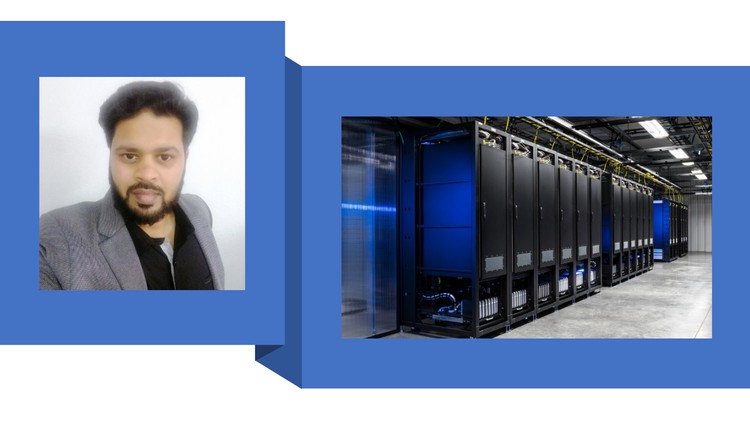
The Ultimate VMware vSphere A to Z Course: Hands-On Guide to Virtualization Management
Note: Course Free for limited time and limited users(500 limit) so Enroll ASAP. If not free it means you are late. Scroll Down and click Enroll Now button to get enrolled
Scroll Down and click Enroll Now Button to get enrolled into the Free Course
Apply Coupon Code: FC176CF7B8DFCE9DFCD6
What you’ll learn
- Introduction to virtualization and VMware vSphere
- Students will learn the basics of virtualization technology
- How vSphere fits into the overall virtualization landscape
- Students will gain a deep components, including the ESXi hypervisor, vCenter Server etc
- Resource Management: Students will learn how to manage and allocate resources such as CPU, memory, storage etc to virtual machines
- Storage Management: Students will learn about storage options in vSphere, including Fibre Channel, iSCSI, NFS, and VMFS
- Networking: Students will learn how to create and manage virtual networks in vSphere, including virtual switches, virtual NICs, and virtual switches.
- Virtual Machine Management: Students will learn how to create, manage, and migrate virtual machines, as well as how to perform basic operations
- High Availability : Students will learn how to implement high availability solutions in vSphere, including vSphere HA, vSphere DRS etc.
- By the end of the course, students should have a comprehensive understanding of how to install, configure, and manage a vSphere environment
Explore related topics
This course includes:
- 15.5 hours on-demand video
- 2 articles
- Access on mobile and TV
- Full lifetime access
- Certificate of completion
Course content
19 sections • 109 lectures • 15h 43m total lengthCollapse all sections
Introduction
- About Course
- How to get the most out of this course ?
Regarding virtualization
- What is Virtualization?
- Types of Virtualization ?
Traditional Data Centers
- Traditional Way To Deploy The Servers
- Is Installing Multiple Applications On One Server Possible ?
- Drawbacks of Installing Multiple Applications On One Server
- One is to One Ratio Advantages
- Drawbacks of Traditional Data Centers
- What Is The Reason Of Installing The Traditional Data Center
- What Solution We Need ?
- Server Virtualization Is The Solution
Virtualization History
- Virtualization History
Regarding VMware
- What is VMware
- First Company To Virtualize x86 Architecture
- VMware Customers
- VMware Products
Regarding vSphere
- What is vSphere ?
- Hypervisor
- Hypervisor Types
- Type 2 Hypervisor
- Types 2 Hypervisor Examples
- Type 1 Hypervisor
- Types 1 Hypervisor Examples
Regarding ESXi
- What is ESXi?
- ESXi Shares The Resources With VMs
- DCUI
- VMware host client
- Downloading ESXi ISO Image and Hardware Compatibility Guide
- Lab Hardware Requirements
- Lab Software Requirements
- Downloading and Installing VMware Workstation
- Installing First ESXi Host
- Accessing ESXi Host Remotely and Exploring The ESXi Options
- Configuring ESXi Host
- Creating A Virtual Machine
- Installing Windows Server Operating System On VM
- Installing vm tools and Exploring options
- What are different Virtual Machine Files?
- What are Roles and How to assign the existing roles to users?
- How to create the new roles and assign them to users ?
- Installing Second ESXi Host
vCenter Server ..
- What is vCenter Server ?
- Other Uses Of The vCenter Server ?
- Vcenter Theory Part1
- Vcenter Theory Part 2
- Installing vCenter Server, Creating Datacenters and Adding Hosts
- vCenter Server Options
Cloning
- vCenter Server Download Link
- What is Cloning and How to create it?
- What is Template and How to Create it?
- Template Options
Vmware vSphere Networking Basic Concepts
- Network and Networking
- Editing vSwitch
- Virtual Switch Ports
- Editing vSwitch Settings MTU and Security
- Editing vSwitch Settings NIC Teaming
Storage Area Network (SAN)..
- What is SAN and its types ?
- iSCSI SAN
- FC SAN..
- NAS and SAN Lab
- Creating Standard Switch From vCenter Server
Migrating VMs
- Cold Migration
- When we perform Cold Migration ?
- What is vMotion ?
- When should we use vMotion ?
- When Should We Use vMotion?
- What are the vMotion Prerequisites ?
- vMotion Lab
- Storage vMotion with Lab
- What is Enhanced vMotion ?
- Enhanced vMotion Lab
About High Availability (HA)
- What is High Availability (HA)?
- High Availability Needs Cluster
- What is a cluster ?
- Cluster Heartbeat
- How vSphere HA reacts to Host Failure ?
- How vSphere HA reacts to Network Isolation ?
- Selecting Master and Slave
- HA against Operating System and Applications
About DRS
- What is DRS ?
- DRS and Storage DRS
- DRS Affinity and Anti Affinity Rules
- DRS Does 3 Tasks
- DRS Prerequisites
- DRS Lab 1
- DRS Lab 2
- DRS Lab 3
- DRS Affinity and Anti Affinity Lab
- What Is Predictive DRS ?
About Proactive HA..
- What is Proactive HA?
- DRS relation with Proactive HA
- Proactive HA Modes
About Snapshot
- What is Snapshot and its scenarios
- Understanding Scenario 1 and 2 With Examples
- Snapshot Lab
Virtual Machine Settings..
- Virtual Hardware
- VM Options
About Host Profile..
- What Is Host Profile With Lab
Advanced Networking Concepts
- Standard Switch Drawbacks
- What is Distributed Switch?
- Distributed Switch : Port Groups
- Distributed Switch Architecture
- Distributed Switch Lab
- Distributed Switch : General Settings
- Distributed Switch : Advanced Settings
- Distributed Switch : Traffic Shaping Settings
- Private VLAN
- Private VLAN Groups
Requirements
- Basic understanding of Operating System and Computer Networking
Description
This Course is primarily designed for anyone interested in Server Virtualization
Why this VMware vSphere Mastery Course?
Demand for skilled professionals in virtualization: With the rise of virtualization in the IT industry, companies are seeking professionals who are proficient in managing and maintaining virtualized environments. By mastering VMware vSphere, you can position yourself for career advancement opportunities in fields such as virtualization, cloud computing, and data centre management.
Comprehensive course content: A VMware vSphere Mastery course should provide a comprehensive understanding of virtualization, including topics such as installation, configuration, management, and troubleshooting of virtual machines. This will give you the skills and knowledge you need to confidently work with VMware vSphere in a professional setting.
Expert instructor: The course is taught by an experienced professional who has real-world experience This will ensure that you are learning from experts who can provide valuable insights and guidance.
Hands-on learning: In addition to lectures and demonstrations, the course should provide opportunities for hands-on learning, such as lab exercises and case studies. This will give you the chance to apply what you have learned and gain practical experience working with VMware vSphere.
Certification: By taking a VMware vSphere Mastery course, you can prepare for certifications such as the VMware Certified Professional (VCP) certification.
Upon completion, you will receive a certificate to showcase your achievement. This can enhance your credentials and demonstrate your expertise to potential employers.
The course will be available to you for a lifetime so that you can refer to it whenever you need assistance even after getting a Job and working on projects
Testimonials:
“This course is amazing and the way you explain terms are upto the mark.. hightly appriciated your efforts…it was really good practicle knowledge…” Amit Verma
” One of the best lecturers. He used to present the lectures very nicely and the way of conducting classes was impressive. Very knowledgeable and cooperative . He is good at explaining in a very understandable way. The notes provided are precise. He is always reachable even after the class /course and eager to help if there is any doubt” – Sharmin Akhter
“I have been trained CCNA course by Mohammed. He has the ability to explain complex concepts in a simple and understandable way. Admired by his technique when performing Practical Labs and Troubleshooting the issues. I will look forward to learn more from him in future “- Ramesh S
Topics:
Section 1: Introduction
About Course
How to get the most out of this course?
Section 2: Regarding virtualization
What is Virtualization?
Types of Virtualization?
Section 3: Traditional Data Centers
Traditional Way To Deploy The Servers
Is Installing Multiple Applications On One Server Possible?
Drawbacks of Installing Multiple Applications On One Server
One is to One Ratio Advantages
Drawbacks of Traditional Data Centers
What Is The Reason Of Installing The Traditional Data Center
What Solution do We Need?
Server Virtualization Is The Solution
Section 4: Virtualization History
Section 5: Regarding VMware
What is VMware?
First Company To Virtualize x86 Architecture
VMware Customers
VMware Products
Section 6: Regarding vSphere
What is vSphere?
What is Hypervisor?
Hypervisor Types
Type 2 Hypervisor
Type 1 Hypervisor
Section 7 : Regarding ESXi
What is ESXi?
ESXi Shares The Resources With VMs
DCUI
VMware host client
ESXi Versions and Hardware Compatibility Guide
Requirements of Our Labs
ESXi Installation
Accessing ESXi Host Remotely and Exploring The ESXi Options
Configuring ESXi Host
Creating A Virtual Machine
Installing Windows Server Operating System On VM
Installing vm tools and Exploring options
What are different Virtual Machine Files
What are Roles and How to assign the existing roles to users?
How to create new roles and assign them to users?
Installing Second ESXi Host
Section 8 : vCenter Server
What is vCenter Server?
Other Uses Of The vCenter Server?
Installing vCenter Server, Creating Datacenters and Adding Hosts
vCenter Server Options
Section 9 : Cloning
What is Cloning and How to create it?
What is Template and How to Create it?
Template Options
Section 10: Vmware vSphere Networking Basic Concepts
Network and Networking
Editing vSwitch
Virtual Switch Ports
Editing vSwitch Settings MTU and Security
Editing vSwitch Settings NIC Teaming
Section 11 : Storage Area Network (SAN)
What is SAN and its types?
iSCSI SAN
FC SAN
NAS and SAN Lab
Creating Standard Switch From vCenter Server
Section 12: Migrating VMs
Cold Migration
When we perform Cold Migration?
What is vMotion?
When should we use vMotion?
When Should We Use vMotion?
What are the vMotion Prerequisites?
vMotion Lab
Storage vMotion with Lab
What is Enhanced vMotion?
Enhanced vMotion Lab
Section 13 : About High Availability (HA)
What is High Availability (HA)?
High Availability Needs Cluster
What is a cluster?
Cluster Heartbeat
How vSphere HA reacts to Host Failure?
How vSphere HA reacts to Network Isolation?
Selecting Master and Slave
HA against Operating System and Applications
Section 14 : About DRS
What is DRS?
DRS and Storage DRS
DRS Affinity and Anti-Affinity Rules
DRS Does 3 Tasks
DRS Prerequisites
DRS Labs
DRS Affinity and Anti-Affinity Lab
What Is Predictive DRS?
Section 15: About Proactive HA
What is Proactive HA?
DRS relation with Proactive HA
Proactive HA Modes
Section 16: About Snapshot
What is Snapshot and its scenarios
Understanding Scenario 1 and 2 With Examples
Snapshot Lab
Section 17 : Virtual Machine Settings
Virtual Hardware
VM Options
Section 18: What Is Host Profile With Lab
Section 19 : Advanced Networking Concepts
Standard Switch Drawbacks
What is Distributed Switch?
Distributed Switch: Port Groups
Distributed Switch Architecture
Distributed Switch Lab
Distributed Switch: General Settings
Distributed Switch: Advanced Settings
Distributed Switch: Traffic Shaping Settings
Private VLAN
Private VLAN Groups
Who this course is for:
- vSphere course is suitable for anyone who is interested in virtualization and cloud computing, and who wants to deepen their knowledge and skills in this area.
Show less
Note: The course is free for a limited time and limited to 500 users. Enroll as soon as possible. If it is no longer free, it means you are late, and it has already exceeded its limits.
🎫 After adding the course into Cart at Checkout page, Apply Coupon Code➛. FC176CF7B8DFCE9DFCD6 Note:- After applying coupon, if it says ”This coupon has exceeded its maximum possible redemptions…”, then it means you’re Late, and first 500 coupons already redeemed.


